
Professional installation, training, warranty, and Network Operations Center support designed to keep your school’s technology running smoothly.
InEd coordinates the entire deployment process seamlessly, minimizing disruption to the school day.
Scheduling delivery times that align with your school's schedule (available during school hours, after hours, or breaks).
Physical assembly and testing are completed efficiently, minimizing classroom downtime.
Onboarding sessions are conducted immediately following installation so teachers can begin delivering interactive lessons right away.
InEd Technology’s goal is to deliver and provide physical deployment of all hardware within two (2) weeks from receipt of a signed Order Confirmation Form, an authorized school board Purchase Order (PO), and receipt of a deposit or approved lease agreement by the financial institution.
An Audiovisual technology specialist with over 20 years of experience supporting education, higher education, and corporate technology deployments. Specializing in interactive classroom technology, educator training, and AV system integration.
The greatest threat to a successful technology deployment is non-adoption by your teaching staff. Sending hardware to a classroom without hands-on instruction leads to underutilized resources and internal IT support gridlock.
To eliminate this friction, every InEd Technology campus upgrade includes an immersive, Interactive Live On-line professional training session directly orchestrated by Jim Van Dettum. This specialized onboarding process is designed to turn technical anxiety into operational confidence on day one, ensuring your school extracts maximum pedagogical value from your interactive investment.
Teachers practice walking into the space, tapping their local NFC proximity badges onto the display frame, and managing their cloud profiles (Google Drive and Microsoft OneDrive) in real time with zero password typing frustration.
Educators learn how to pair, track, and manage the student Pen & Notebook sets, testing live classroom scenarios where students build concept maps or solve formulas from their breakout desks directly to the main display panel.
Instruction covers active ink overlay utilization, showing teachers how to seamlessly write over live websites, video streams, and PDFs, save their lecture annotations, and instantly export files into your school’s local Learning Management System (LMS).
Jim guides faculty through basic localized controls and single-cable USB-C or HDMI laptop casting connections, reducing minor helpdesk call volumes and maximizing active instructional uptime.
Architected and delivered by Jim Van Dettum, AudioVisual Technology & Training Specialist.
Format: 1 Hour | Interactive Live On-line Session
Focus: Core system navigation, basic interface optimization, and baseline user workflow setup.
Standalone Value: $250.00 (Waived for package customers)
Format: 2 Hours | Interactive Live On-line Session
Focus: Advanced application workflows, cloud folder synchronization, and collaborative student integration pathways.
Add-On Price: $500.00
Format: 4 Hours | Comprehensive On-site Campus Deployment
Focus: Multi-room structural testing, hands-on faculty breakout cohorts, and customized department level configurations.
Add-On Price: $995.00 + travel expenses
Format: 8 Hours | Two (2) Separate Comprehensive On-site Sessions
Focus: Complete train-the-trainer workshops, full classroom mobility stress testing, and custom digital signage content alignment.
Add-On Price: $1,500.00 + travel expenses
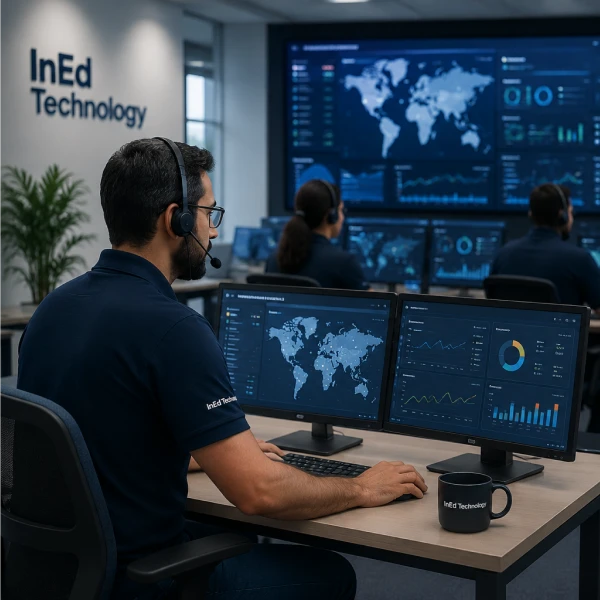
The NOC provides remote system optimization, security patch distribution, and remote software troubleshooting. Monitoring is limited strictly to hardware performance metrics, error codes, and system connectivity logs.
Provider strictly complies with the Family Educational Rights and Privacy Act (FERPA) and the Children’s Online Privacy Protection Act (COPPA). The NOC does not monitor, collect, cache, transmit, or harvest student data, personal identity metrics, or educational records.
All remote telemetry data is transmitted using outbound-only TLS 1.3 encryption. Provider will never request or require inbound open ports through the Client’s network firewall.
We can have your classrooms up and running by the time school starts.
Request a quote or book a quick call, and we will take it from there.
Thank you! Your message has been sent.